 Liftsmith
Free
A rest timer you never have to start
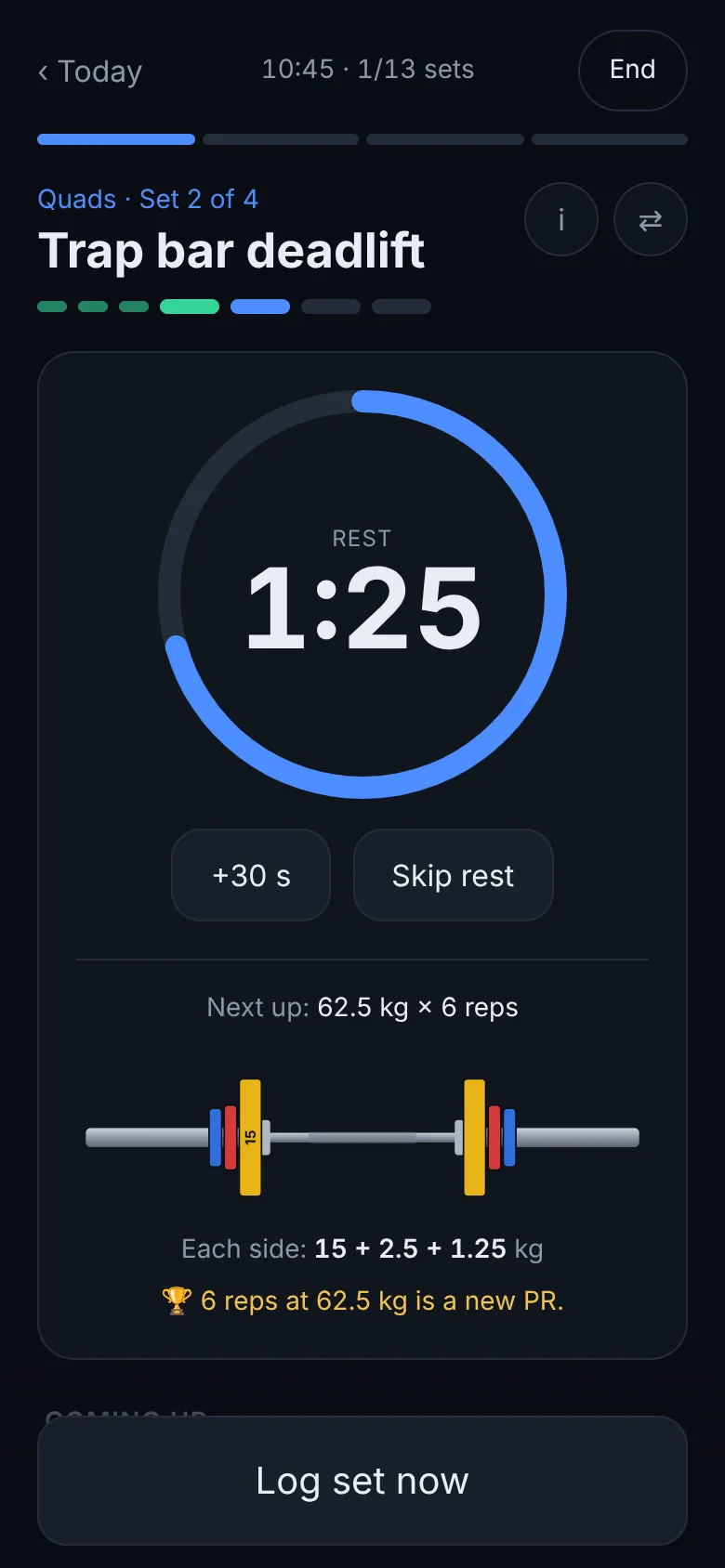
Log a set and the rest starts on its own. Lock your phone and the countdown keeps going on the lock screen, with your next set and the plates to load.
On your lock screen, not in your way
On Android, Liftsmith shows an ongoing notification with the countdown, the next set, the plates, your heart rate and the workout's progress, with Log set and +30 s buttons. On Android 16 it's a Live Update with the time left in the status bar chip.
On iPhone it's a Live Activity on the lock screen and in the Dynamic Island, with the same countdown, next set and buttons. When rest is over you get a chime and a buzz, even with the phone in your pocket.
The right rest for each set
Heavy compound lifts get longer rest than small isolation work, and you can set your own rest for any exercise. Short on time? Take less, and the plan knows. See how long to rest between sets.
- +30 s from the lock screen when you need a bit more
- A polite screen reader announcement at the start, at ten seconds left and at the end
- On your wrist too, with the Wear OS and Apple Watch apps
Questions
- Is the rest timer free?
- Yes, including the lock-screen countdown and the buttons.
- Does it work with the screen off?
- Yes. The countdown runs on the lock screen and the rest-over alert sounds with the phone locked.
- Can I change the rest time?
- Yes, per exercise, and +30 s from the lock screen during any rest.
Read more: how long to rest between sets, the watch apps and heart rate while lifting.
Let the app handle the details
Liftsmith plans the workout, loads the bar, times the rest and keeps score, so all you do is lift.
- ✓ Free to start, no account needed
- ✓ Plans every set, rep and weight for you
- ✓ Works offline, on Android, iPhone and the web
- ✓ No ads, ever
More of Liftsmith
- Recovery mapSee which muscles are recovered and which are still fatigued on a 3D body you can turn, built from your sets, with workouts that train fresh muscles first.
- Sets per muscleHard sets per muscle each week, counted fully for main movers and partly for helpers, against a sensible range, with more work for muscles that fall behind.
- Workout trackerA workout tracker and gym log that logs a set in one tap, pre-fills the next one, starts the rest timer itself and plans tomorrow from today. Free, no ads.