 Liftsmith
Pro
See which muscles are ready to train
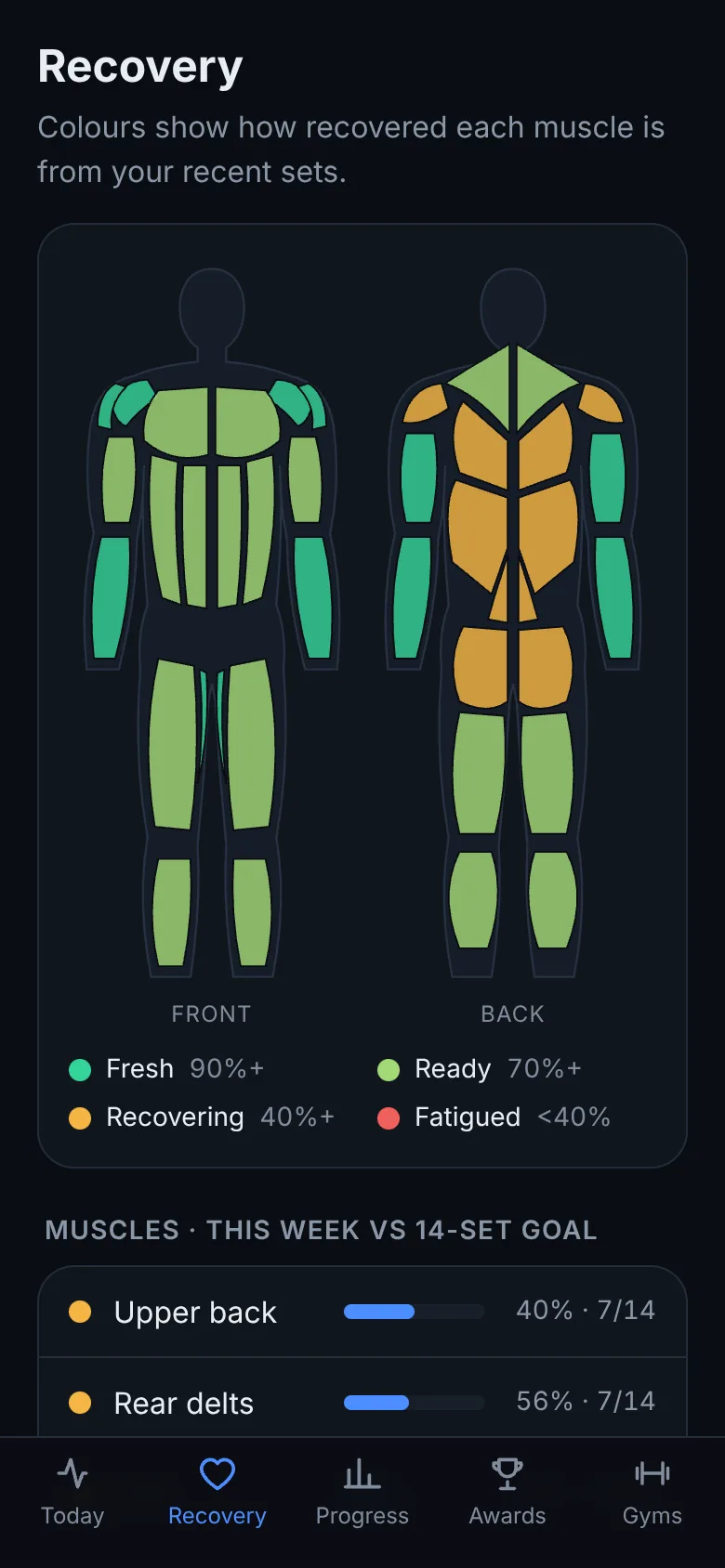
Every hard set adds fatigue to the muscles it works, and it fades over the next few days. The recovery map shows where each muscle stands on a 3D body you can turn.
Built from your own training
Recovery is worked out from the sets you logged: how many, how hard, and how long ago, for the main movers and the muscles that helped. Big muscles and hard sets take longer to come back. Tap a muscle to see how recovered it is.
The map uses dots and stripes as well as colour, so it reads for colour-blind lifters too, and there's a colour-blind safe palette in Settings.
Workouts that wait for you
The planner uses the same numbers: fresh muscles go first, and muscles that are still well short of recovered wait for another day. That's how Liftsmith can plan a sensible workout any day of the week, without a fixed split. See how long muscles take to recover.
Questions
- How accurate is the recovery map?
- It's an estimate from your training, not a blood test. It's most useful for comparing muscles and seeing the trend, and it gets better the more you log.
- Does soreness matter?
- Soreness isn't a reliable sign of recovery on its own. See should you train when sore.
- Is it free?
- The recovery map is part of Pro. The free plan includes the workout logger, timer and every fixed program.
Read more: muscle recovery times, the workout generator and exercises by muscle.
Let the app handle the details
Liftsmith plans the workout, loads the bar, times the rest and keeps score, so all you do is lift.
- ✓ Free to start, no account needed
- ✓ Plans every set, rep and weight for you
- ✓ Works offline, on Android, iPhone and the web
- ✓ No ads, ever
More of Liftsmith
- Sets per muscleHard sets per muscle each week, counted fully for main movers and partly for helpers, against a sensible range, with more work for muscles that fall behind.
- Warm-up setsLiftsmith adds warm-up sets before your heavy lifts, ramping from the empty bar to your working weight, with plates for each and fewer once a muscle is warm.
- Strength training appA weight lifting app that plans progressive overload for you: training blocks with reps in reserve, deloads, and the right weight for every set.